Pictures of Apple's Solar Farm

GigaOm's Katie Fehrenbacher reports on Apple's Solar Farm.

Behold Apple’s massive solar farm from the sky [photos]

A TV station in North Carolina snapped these still video clips of the solar farm being built next to Apple’s data center. It looks like it’s getting close to being completed.

Apple solar farm aerial

I did an interview with North Carolina’s TV Station WCNC-TV this morning about the data center cluster in their state. After the interview they kindly sent me these aerial video stills that they took from a plane above Apple’s solar farm, next to its data center in the city of Maiden.

Google hits #5 spot in Server Mfr Ranking, The Big Users defining the market

Wired has a post that has people's attention that HP, Dell, and IBM are no longer the dominant Server force of the past.  Part of the past is the reliance on IDC and Gartner to get a view on the market.

It should be noted, however, that research operations such as IDC and Gartner don’t have the best view into direct sales by the ODMs — let alone Google’s highly secretive hardware operation — and these hidden parts of the market are increasingly important. It’s the big web players that are moving away from the HPs and the Dells, and most of these same companies offer large “cloud” services that let other businesses run their operations without purchasing servers in the first place.

What is catching people's attention is that Google is the #5 manufacturer.

But just four years later, Bryant says, the landscape has completely changed. Today, she explains,eight server makers account for 75 percent of Intel’s server chip revenues, and at least one of those eight doesn’t even sell servers. It only makes servers for itself. “Google is something like number five on that list,” Bryant told us on Monday evening, during a dinner with reporters in downtown San Francisco.

But, the overall pattern that is occurring is Google, Amazon, Facebook, Tencent, and Microsoft are investing and demanding server innovation that the big OEMs (HP, Dell, and IBM) are not necessarily set up to serve.  Which then brings up the ODMs of Quanta, Tyan, Supermicro, ZT Systems and others who are rising up the ranks.

As Bryant points out, other companies are now buying machines directly from “original design manufacturers,” or ODMs, in Asia, working to cut costs in much the same way. This includes Facebook, and according to a former employee of one large ODM, it includes Amazon as well.

These ODMs in general don't have the marketing budgets to have IDC and Gartner analyze and report their sales. 

Would you trust an Intel executive or IDC/Gartner and a vendor to give a report on the state of the server market?

But an HP spokesperson said her comments were inconsistent with the latest server market stats from research outfit IDC, which still put the combined market share of HP, Dell, and IBM at 73.9 percent, down slightly from 78.2 percent in 2008.

Mac Book Pro Retina with Mountain Lion screen flicker, solved by turning off WebGL

Update Mar 12, 2013.  It looks like the real problem is resolved in 10.8.3 update.  I currently have beta 12D76 and 12D78 and the problems look like they went away.  http://www.greenm3.com/gdcblog/2013/3/12/bunch-of-retina-macbook-pro-problems-went-away-with-1083-bet.html

It looks like a lot of people had this same problem as many times I was getting hits to this blog post.

*******************


One of my friends just traded in three of his old Macs and got a MacBook Pro Retina.  I’ve had mine Retina MacBook Pro for a couple of months, and it’s worked great.

Except for yesterday it started to have an intermittent screen flicker problem.  At seemingly random times, the screen would flicker, refreshing parts of the screen, mostly from in the bottom 50%.  This was a real pain given the Retina Display is one of the main features of the new MacBook Pro.  After looking at some mac forums to see about the problem, and found no good answers.  Wondering whether I would have a warranty event which would be another pain.

I remembered I was playing around with MapGL in Google maps, and Safari was not compatible.

NewImage

In order to use MapGL I needed to enable WebGL in the “Develop” pull down menu in Safari.  That’s when the screen flicker problem started after WebGL was turned on.

So, let’s turning off WebGL, reboot.  Screen flicker problem is gone.  Wooh!  glad there is nothing wrong with my hardware and I am not hunting all over to figure out how to fix a screen flicker problem.

For you Mac users, which is about 22% of GreenM3 readers, you may find this screen flicker MapGL tip useful.  

NewImage

I am surprised that 4.94% are from iPhone and 3.86% are from Android.

Here are the smallest % of readers.  It is funny to think these devices hit this blog.

NewImage

Adding TSA Pre beyond your sponsor airline, watch out for picking Canada Travel

I am in the Alaska Airlines TSA Pre program as a frequent flyer, and 4 months ago was curious how TSA Pre works.  It was just automatic that I was signed up for Alaska.  Didn't have to do anything.  Which is kind of worrisome as how do you maintain the status?

The TSA Pre web site is here.  Coverage is pretty good in major airports. The most glaring missing points are the SFO, and SJC airports.

TSA Pre™ is an expedited screening initiative that is expanding to airports across the country. Implementing a key component of the agency’s intelligence-driven, risk-based approach to security, TSA Pre™ enhances aviation security by placing more focus on pre-screening individuals who volunteer to participate to expedite the travel experience.
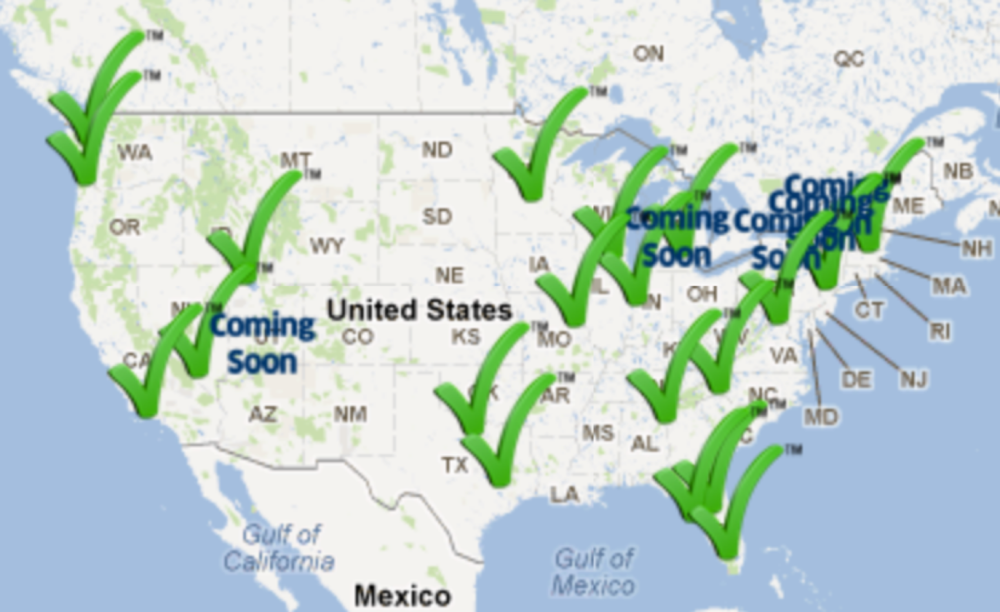
NewImage

The problem is I don't know what my "Known Traveler Number" is to register as Alaska takes care of this on my reservation. 

Certain frequent travelers from Alaska Airlines, American Airlines, Delta Air Lines, United Airlines, US Airways and certain members of CBP's Trusted Traveler programs, including Global EntrySENTRI, and NEXUS who are U.S. citizens are eligible to participate. TSA plans to expand TSA Pre™ to include additional airlines, as well as airports that participate in a CBP Trusted Traveler program, once operationally ready. In addition, accompanying passengers 12 and younger are allowed through TSA Pre✓™ lanes with eligible passengers.

So, getting a Global Entry card seemed the easiest way to do this.  I filled out all the paper work back in Apr/May 2012.  In June I was conditionally approved with approval to schedule an interview.  The first available interview was three months later in Seattle's Boeing field which is convenient for me being a 1/2 drive.

Why so long?  I found out a contributing problem in the interview process yesterday when talking to Canada border personnel.  When you fill the USA Global Online Enrollment System one of the questions is "will you travel to Canada?" or something like that.  Anyone who travels frequently in the USA would with a high degree of certainty say yes.  The problem is when you pick this option, the system puts in the process for the USA/Canada Nexus program.  OK, go ahead and do this.  Which makes total sense to me being in Seattle.  But, if you live in let's say San Diego like the guy in line with me.  This means the guy in San Diego had to schedule his approval interview from a short list of offices near the USA/Canada border.  I don't think Canada is going to station border agents in San Diego. :-)

The gal from Canada Border said all day long she has had people who have been from far away to get their Nexus approval, but they really only need the Trusted Traveler program from Global Entry.

So, if you want to get in that TSA Pre line which is totally sweet, less than 5 minutes.  I've at the most had 2 people in front of me.  Keep your shoes on, laptop in the bag, don't take liquids out, keep your light weight jacket on.  And, you want to be able to have TSA Pre work beyond your sponsor airline.  Being approved as a Trusted Traveler makes sense and get your Known Traveler Number.  But, watch out for picking the travel to Canada option if you don't live near one of the Nexus interview offices.

4 Good Rules to build Kick Ass Ideas

Fast Company has an article by KAIHAN KRIPPENDORFF on 4 steps to breakthrough ideas.  These are good rules to use when you want to kick ass on your competitors and build solutions that they have a hard time copying.  Here are the 4 four rules.

Step 1: Change the question

Step 2: Find a new metaphor

Step 3: Reuse what you have

Step 4: Perform a quick and dirty test


The article is short, and finishes reiterating the 4 points.

Ask yourself:

1. If you reversed the question you have been asking for the past few weeks, what question would you end up with?

2. What metaphor is your competitor using and what alternative metaphor could you battle them with?

3. What can you reuse from your current (or past) business to create something new?

4. What quick and dirty test can you perform to test the viability of the idea you created through steps 1-3?

There are a few people in the data center industry who use this approach, and these are some of the funnest most interesting people to talk to.

Kaihan has a web site http://www.kaihan.net/index.html and a Book on Outthink the Competition.

NewImage